Beginner’s Guide to Gimkit
Discover Gimkit: Master game modes, create kits, boost engagement & track progress with this beginner’s guide to interactive classroom quizzes!
What Is Gimkit? The Quick Answer for Teachers and Students
Gimkit is a game-based learning platform where students answer quiz questions, earn virtual cash, and spend it on power-ups and upgrades - all in real time.
Here's what you need to know at a glance:
- What it is: An interactive classroom quiz game with a built-in economy system
- Who made it: Josh Feinsilber, a high school student from Seattle, as a school project in 2017
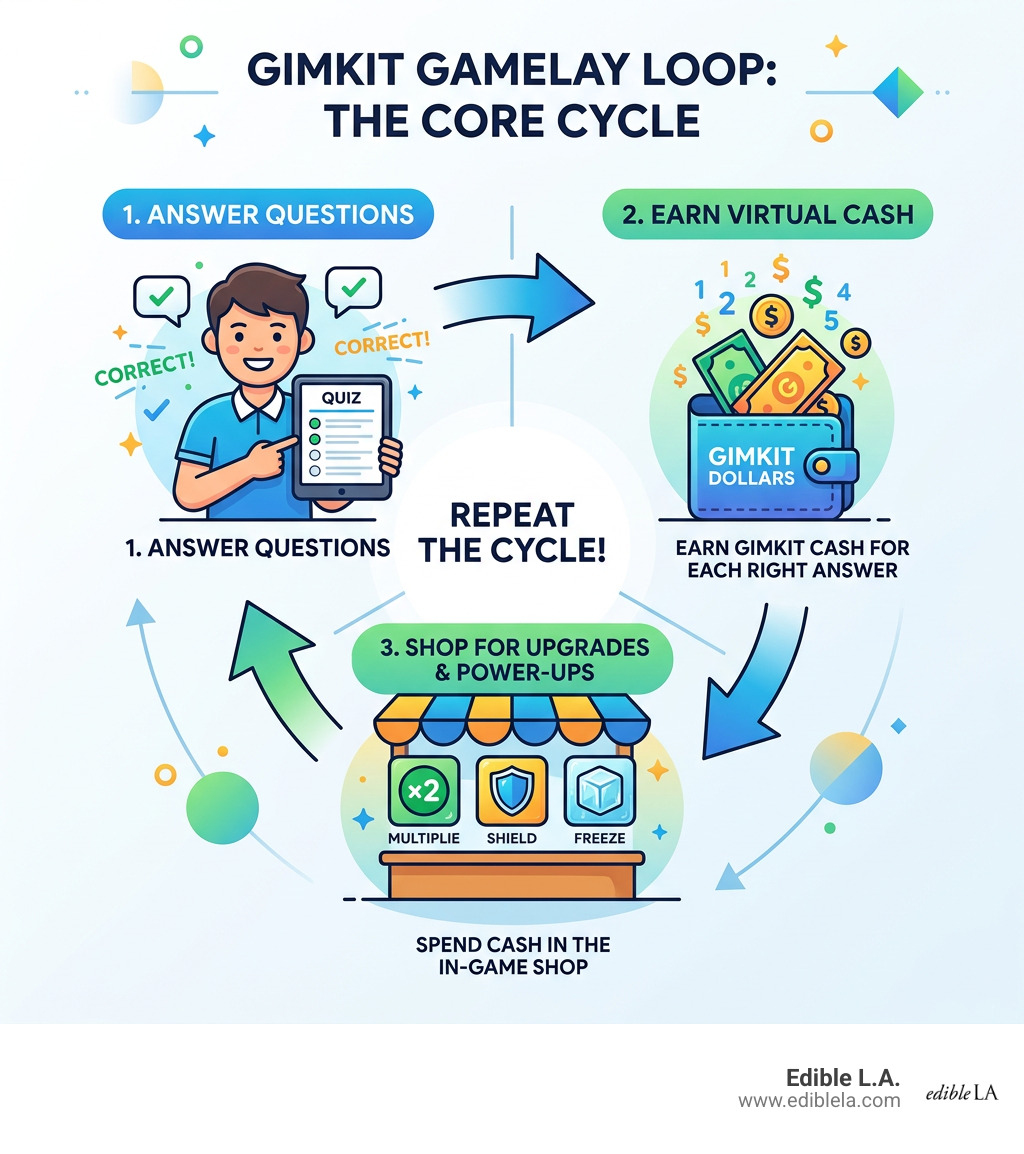
- How it works: Answer -> Earn virtual money -> Spend in the in-game shop -> Repeat
- Who it's for: Teachers and students, primarily K-12
- Cost: Free to start (up to 5 students); Gimkit Pro unlocks unlimited players
- Where to play: Visit gimkit.com or join a game at gimkit.com/join
Think of it less like a standard quiz app and more like a game show where knowing the right answer actually pays off.
What makes Gimkit stand out is the strategy layer. Students don't just race to answer first - they manage their earnings, choose upgrades, and build their own in-game advantage. That small twist changes everything about how students engage with review material.
Over 100,000 students use it regularly, and research on gamified learning tools suggests platforms like this can boost classroom participation by up to 40%.
Whether you're a teacher looking for a fresh way to run a vocabulary review, or a student trying to figure out how to join your first game, this guide walks you through everything.
Basic gimkit terms:
What is Gimkit and How Does it Work?
At its heart, Gimkit is a digital stage for online learning games that feels more like a video game than a traditional assessment. It was born out of a genuine desire to make school more engaging. In 2017, a high school junior named Josh Feinsilber was looking for a way to liven up his own classroom experience. He noticed that while existing quiz tools were okay, they often lacked the "hook" that keeps players coming back to their favorite games.
His solution was to build a platform where students don't just answer a question and wait for the next one. Instead, they enter a "live learning game show" environment. The innovation lies in the student-led design; because it was created by someone who was actually sitting in those desks, it speaks the language of modern students. It focuses on engagement strategy rather than just rote memorization.
Core Mechanics of Gimkit Gameplay
The gameplay loop is simple but addictive. We often describe it as a mini-economy. Here is how the magic happens:
- Answer: Students receive questions on their own devices. Unlike some platforms where everyone must move at the same speed, Gimkit allows students to answer at their own pace.
- Earn: Every correct answer nets the student virtual currency. If they get a string of questions right, they can earn even more. However, be careful—wrong answers can sometimes cost you a bit of that hard-earned cash!
- Shop: This is where the strategy kicks in. Students can enter the in-game shop at any time to buy power-ups and upgrades.
These upgrades include things like "Money Per Question" (increasing your base pay), "Multiplier" (doubling or tripling your earnings), and "Insurance" (protecting you from losses on wrong answers). There are even "sabotage" power-ups that let students temporarily hinder their classmates, adding a layer of playful competition.
| Feature | Traditional Quiz Platforms | Gimkit |
|---|---|---|
| Pacing | Teacher-led or uniform | Student-paced |
| Incentive | Points/Leaderboard | Virtual Currency/Upgrades |
| Strategy | Speed focused | Resource management & timing |
| Repetition | Questions usually appear once | Multiple exposures for mastery |
How to Join a Gimkit Game
Joining a game is designed to be as frictionless as possible. Whether you are in a classroom in Santa Monica or a study group in Hollywood, the process is the same.
- Step 1: The teacher or host starts a game and displays a unique game code on the main screen.
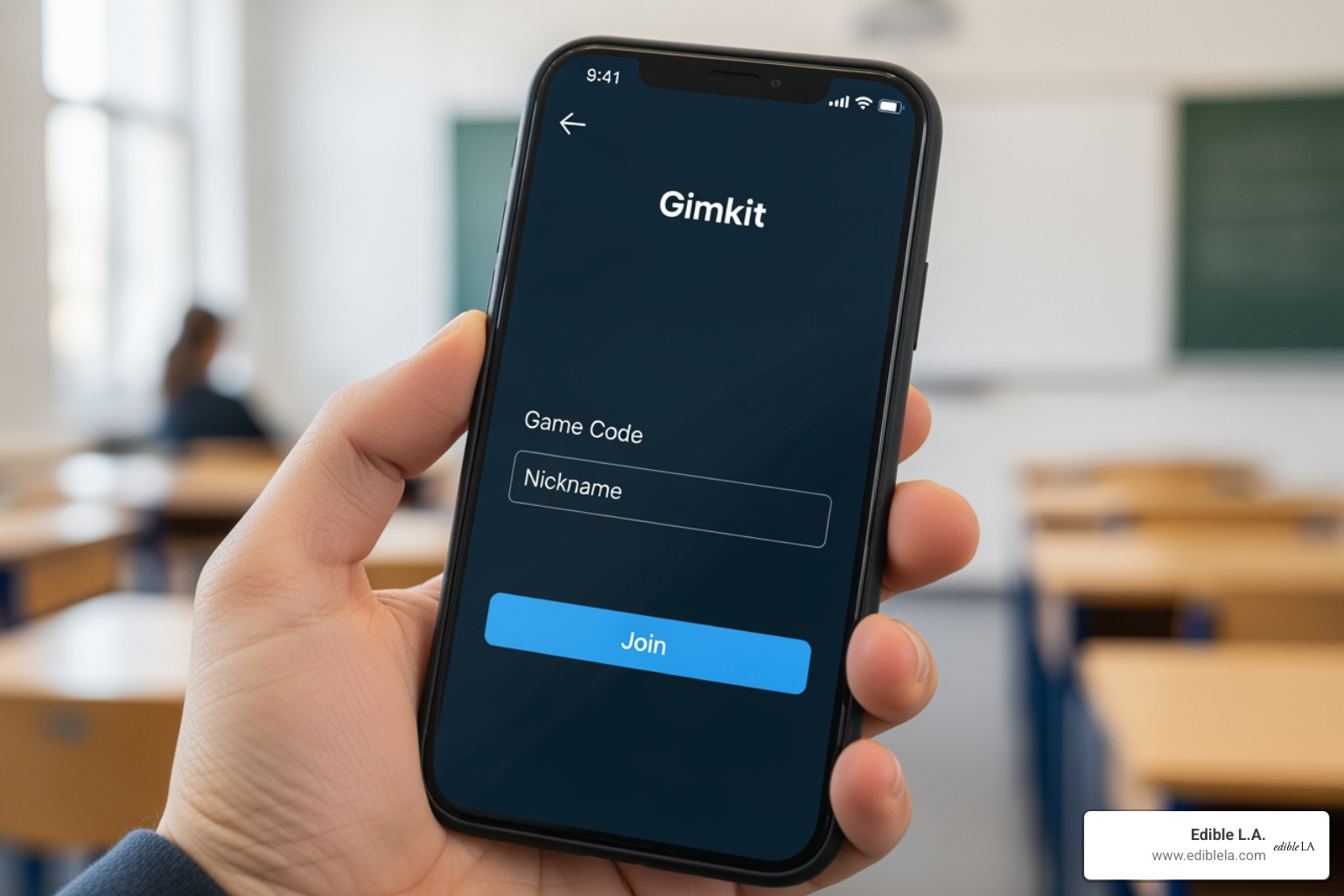
- Step 2: Students visit gimkit.com/join on any device with a web browser (tablets, laptops, or smartphones).
- Step 3: Students enter the join code and their nickname.
- Step 4: Once everyone is in the lobby, the host hits "Start," and the game begins!
Because it is web-based, there is no need to download bulky software. This makes it highly compatible with school-issued Chromebooks or personal devices.
Top Game Modes for Classroom Engagement
One of the reasons we love Gimkit is its variety. It isn't just one game; it’s a collection of different experiences called "modes."
- Classic Mode: The standard individual experience. It’s every student for themselves as they compete to see who can amass the most wealth by the end of the time limit.
- Team Mode: Students are grouped together. Their individual earnings contribute to a collective team bank. This encourages peer coaching and collaborative strategy.
- Fishtopia: A 2D world where students move an avatar around, catch fish, and sell them. To get bait or access better fishing spots, they have to answer questions correctly.
- Trust No One: Inspired by social deduction games, this mode tasks students with identifying "imposters" among them while still answering questions to keep the ship running. It’s a huge hit for building classroom community.
- Humans vs. Zombies: A high-stakes team battle where correct answers help your side survive or take over the map.
These modes transform the environment from a quiet test-taking room into a space filled with cheers and strategic hushed conversations.
Customizing Your Gimkit Experience
Teachers aren't stuck with pre-made content. You can create a "Kit" (a set of questions) from scratch or use the "KitCollab" feature. If you already have materials elsewhere, you can import flashcards from other sites or use a CSV import (spreadsheet).
You can also add audiovisual elements. Including images or audio clips in your questions helps reinforce learning for different types of learners. For example, a biology teacher in Downtown L.A. might include diagrams of cells, while a music teacher in Echo Park might include audio snippets of different instruments.
Essential Features for Educators
Gimkit isn't just fun for students; it’s a powerful tool for us as educators. The platform provides a live learning game show dashboard that gives real-time insights into how the class is performing.
- Data Reports: After every game, you get a detailed report. You can see which questions the class struggled with the most and which students might need extra help.
- KitCollab: This is a game-changer. Instead of the teacher writing all the questions, students submit their own questions to the game in real time. The teacher simply accepts or rejects them. It gives students ownership over their learning.
- Formative Assessment: Because students see questions multiple times during a session, you can track their progress from initial confusion to eventual mastery.
Using Gimkit for Assignments and Homework
While live games are the most popular way to play, Gimkit is also an excellent tool for asynchronous learning. Teachers can "assign" a Kit as homework.
In "Homework Mode," students play independently to reach a certain goal (like earning $50,000 in virtual cash). The platform handles the automatic grading and provides a report to the teacher once the student finishes. This is a fantastic way to encourage retrieval practice without the stress of a traditional worksheet. It's remote-friendly and keeps the engagement high even when students are at home in Venice or Silverlake.
Maximizing Learning Outcomes and Retention
Does all this gaming actually lead to learning? The statistics say yes. According to research on game-based learning, tools like Gimkit can increase student motivation by up to 35%.
The reason is simple: repetition. In a standard 10-question quiz, a student sees each concept once. In a 10-minute Gimkit session, a student might see those same 10 questions five or six times each. This repeated exposure, combined with the "high" of earning rewards, helps move information from short-term to long-term memory.
We've seen reports of schools seeing a 20% jump in quiz scores after integrating these types of tools. It turns "studying" into "playing," which lowers the barrier for students who might otherwise feel anxious about academic performance.
Frequently Asked Questions about Gimkit
Is Gimkit free to use for all teachers?
Yes, there is a free version of Gimkit. However, it does have some limitations. The free tier currently limits live games to a maximum of 5 students. This is great for small group interventions or "pod" learning. To host a full class (unlimited players), you’ll need Gimkit Pro. Many schools and departments in Los Angeles County opt for department-wide pricing to ensure all their teachers have access to the full suite of game modes and unlimited player counts.
How does the platform ensure student security and privacy?
Security is a top priority for the developers. Gimkit is designed to be FERPA and COPPA compliant, ensuring that student data is handled with care. Join codes are temporary and expire after a session, preventing uninvited guests from joining. Furthermore, the platform has built-in anti-hack measures to ensure fair play, so students can't use third-party scripts to "cheat" their way to the top of the leaderboard.
Which subjects and grade levels benefit most?
While it’s a favorite in K-12, Gimkit is incredibly flexible.
- Math: Perfect for fact fluency and mental math.
- English/Language Arts: Great for vocabulary and literary terms.
- Science: Useful for diagrams and process-based questions.
- History: Ideal for dates, figures, and cause-and-effect relationships.
Even higher education instructors and corporate trainers have found success using it for quick reviews and icebreakers.
Conclusion
At Edible L.A., we believe that the best things in life are seasonal and local—and that includes the way we grow and learn. Just as we celebrate the unique flavors of Los Angeles, from the farmers' markets in Santa Monica to the hidden gems in Glassell Park, we celebrate innovative ways to nourish the mind.
Gimkit represents a shift in how we think about the classroom. It moves away from the "one-size-fits-all" lecture and toward an interactive, community-driven experience. By turning review sessions into a collaborative game, we aren't just teaching facts; we’re fostering a love for learning that lasts long after the game code expires.
Whether you're exploring the city's food culture or mastering a new subject in school, stay curious and keep growing. For more tips on how to stay connected to your local community and the seasons, check out our seasonal produce guide. Happy gaming!